
Updated November 2026 · Beginner-friendly guide · Includes practical AI prompts and a publishing checklist.
You can publish a book through Amazon Kindle Direct Publishing (KDP) without a traditional publisher. But opening an account is only one part of the process: you also need a book people want, correctly prepared files, accurate listing information, and a plan for quality control.
This guide walks you through the process from your first idea to submitting a book for review. The goal is not to promise passive income. It’s to help you complete your first publishing project without overlooking the steps that matter.
What is Amazon KDP?
Amazon Kindle Direct Publishing is Amazon’s self-publishing platform for Kindle ebooks and eligible printed books, including paperbacks and hardcovers. You prepare the content and listing, choose available distribution options and prices, and submit the book for review. For print books, Amazon produces copies on demand, so you generally do not need to order inventory in advance.
KDP itself does not charge an upfront fee simply to publish a title. Optional costs can include design tools, editing, proof copies, advertising, and purchasing your own ISBN.
Your first-book roadmap
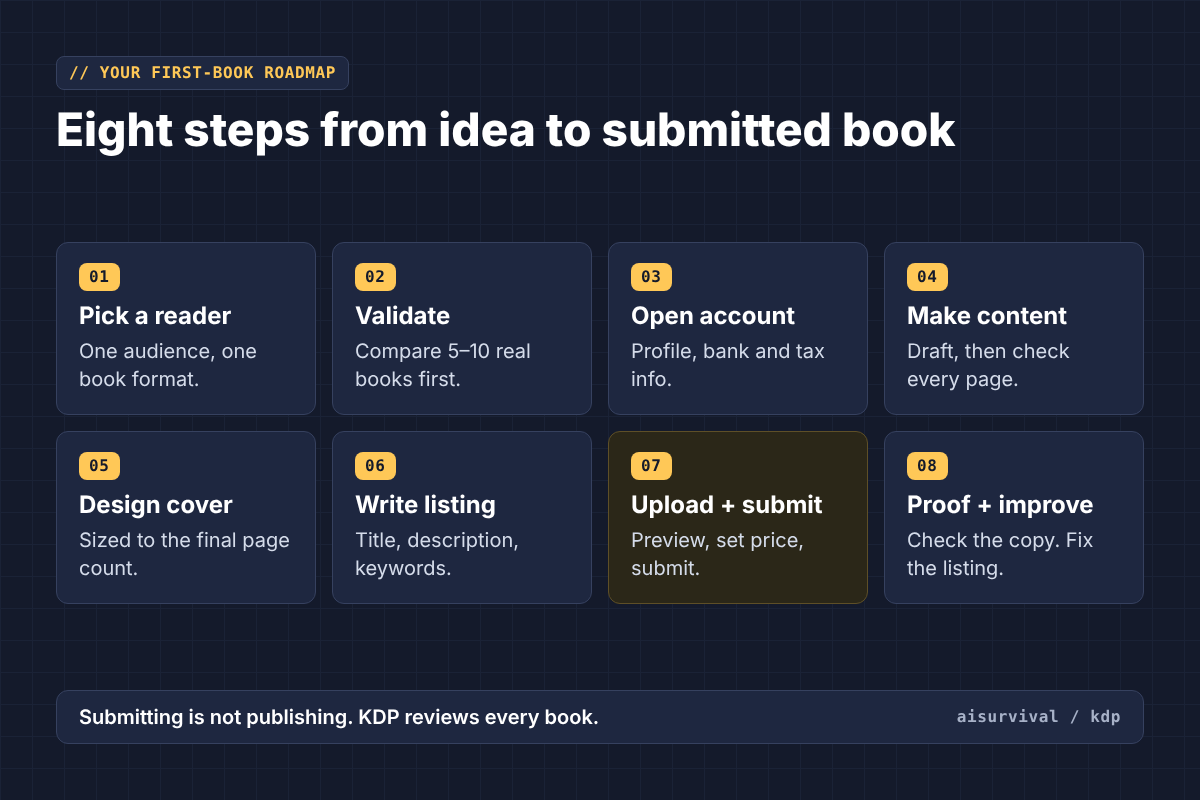
- 1. Choose a specific reader and book format
- 2. Research existing books and validate the idea
- 3. Create your KDP account and complete your profile
- 4. Make and check the manuscript or interior
- 5. Design a properly sized cover
- 6. Prepare title, description, categories and keywords
- 7. Upload, preview, set pricing and submit
- 8. Review the proof and improve your listing over time
Step 1: Choose one book type and one reader
Start by choosing a product you can actually finish. A novel, nonfiction guide, children’s activity book, coloring book, and word search book require different production work.
Instead of ‘a puzzle book for everyone,’ try ‘an easy-to-read spring word search book for children ages 6–9.’ That description gives you a reader, activity format, vocabulary level, and design direction.
Quick decision test: Who buys it? Who uses it? What makes this version better or more useful than the alternatives?
Step 2: Validate the idea before building 100 pages
Look at existing Amazon book listings, sample pages, prices, formats, and customer feedback. Note recurring complaints or unmet needs. A high bestseller rank is a signal to investigate, not proof your own book will sell.
Make a simple comparison sheet for five to ten competing books. Record the intended reader, price, page count, cover promise, sample quality, and potential improvement opportunity.
Do not treat AI-generated ‘profitable niche’ lists as market research unless the claims are supported by current evidence.
Step 3: Create your KDP account
Go to kdp.amazon.com. Sign in with an existing Amazon account or create one. You will need your legal/contact details, bank details, and tax information. The author name displayed on a book can be a pen name; your account and payment profile must use the information Amazon requires to verify you.
Complete your account profile carefully and use the official payment and tax setup screens. Tax identity validation is required before you can publish new books in the Kindle Store. The forms and payout methods depend on your country and circumstances.
Follow Amazon’s KDP account setup guide and tax-profile guide. We will cover account registration and payments in separate step-by-step articles.
Step 4: Create the content—use AI as a tool, not a final editor
Create an outline before generating pages. Decide the reader, learning or entertainment goal, page count, tone, and requirements for any puzzles or activities.
Copy this prompt into ChatGPT, then replace the bracketed placeholders with your own book idea.
Prompt: Plan your first KDP book (fill in the brackets)
Act as a publishing project planner.

Help me create a one-page production brief for a [book type] for [target audience].

Include:
- Reader need and unique value
- Proposed book structure
- Approximate page count
- Quality criteria
- Required files
- Key risks
- Final verification checklist

Mark every assumption that requires independent market research.
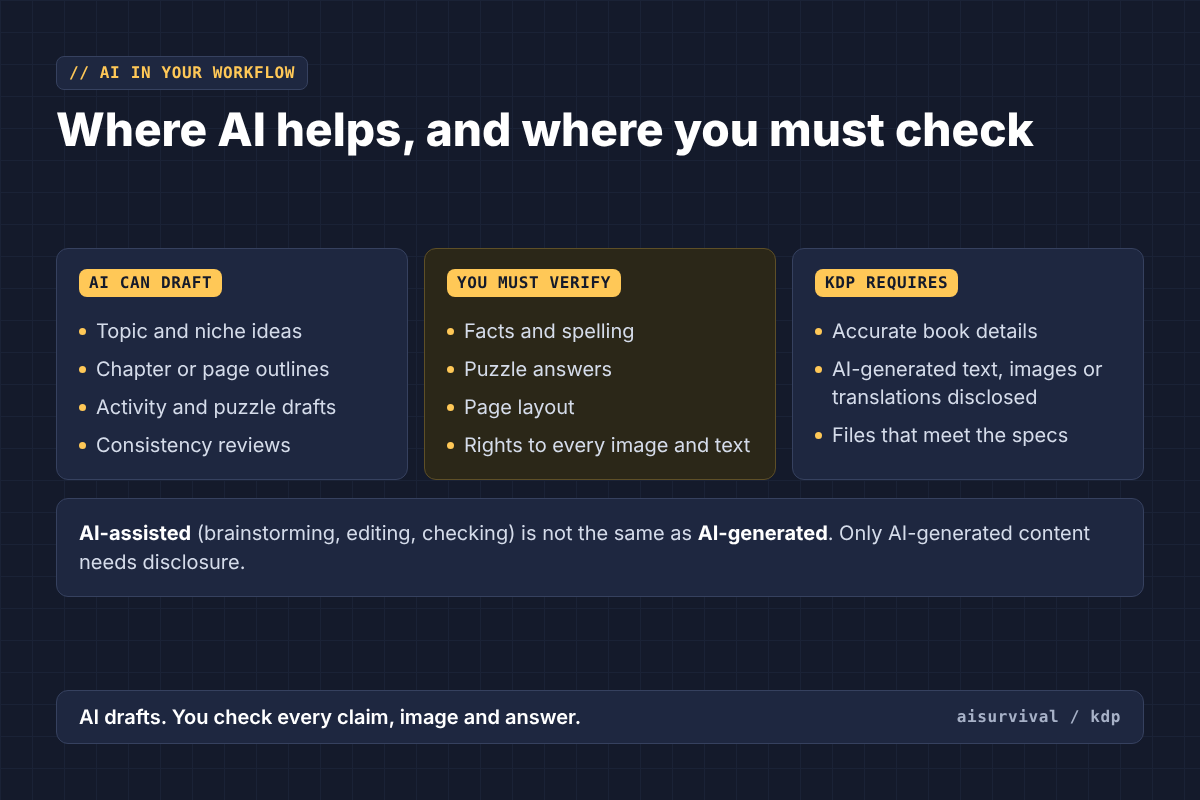
AI can help brainstorm topics, organize drafts, review consistency, and create candidate content. But it may introduce inaccurate facts, repetitive text, malformed puzzles, or poor page layouts. Verify outputs independently.
If your book contains AI-generated text, images, or translations, KDP requires you to disclose them during publication. Amazon distinguishes this from AI-assisted brainstorming, editing, and quality checking. You remain responsible for rights and content quality.
Read the current Amazon KDP Content Guidelines before uploading.
Step 5: Format the interior and design the cover
A book is more than a document saved as PDF. Your format must match the reading experience. For example, a paperback workbook may need generous writing space and a larger trim size, while a text-heavy guide may work better in a compact format.
Choose the trim size, paper settings, page count, and bleed before finalizing the cover. The full-wrap print cover depends on the final page count and paper choice; recalculate it when either changes.
For print files, use Amazon’s current formatting, margin, and cover specifications. Check embedded fonts, image quality, safe areas, and whether the contents match the intended physical size.
Reference: Paperback submission guidelines.
Step 6: Prepare your Amazon book listing
- Title and subtitle that accurately describe the book
- Author or pen-name information
- A clear, readable book description
- Relevant keywords and categories
- Publishing rights and required AI content disclosures
- ISBN decision, if applicable
- List price and marketplace choices
For many eligible paperback and hardcover books, KDP provides a free ISBN, but there are limitations on using that ISBN outside KDP. An ebook generally does not require an ISBN through KDP. Check the book-type-specific guidance before deciding.
Reference: ISBN and imprint guidance.
Step 7: Upload, preview, and submit
On your KDP Bookshelf, create the relevant book format and complete the details, content, and pricing sections. Upload the manuscript/interior and cover, then open the previewer to inspect the result.
Check for missing pages, cut-off text, incorrect trim/bleed, blurry images, spine alignment, and mismatched metadata. Resolve flagged errors before proceeding.
Review your rights and pricing selections, then submit the book for KDP review. Submission is not the same as instant publication; Amazon must process and review your book.
Amazon’s official publishing overview outlines the file preparation, upload, and price-setting stages.
Step 8: Understand costs and royalties
Your selling price is not your profit. For a printed book, subtract the applicable printing cost from the royalty calculation, and account separately for optional expenses such as software, proof copies, freelance help, or ads.
KDP offers 35% and 70% ebook royalty options subject to conditions; paperback royalty calculations vary by marketplace, price and distribution method. Use the current KDP calculator for your specific book, rather than relying on an example from another publisher.
Read Price Your Book and Paperback Royalty.
Beginner mistakes to avoid
- Publishing without checking a physical proof for a print book
- Assuming an AI-generated file is error-free
- Choosing a broad topic without defining a specific reader
- Guessing cover dimensions before finalizing page count
- Confusing revenue with royalties and profit
- Entering inaccurate tax, payment, or publishing-rights information
- Publishing many near-identical books instead of testing one useful product
First KDP book: final checklist
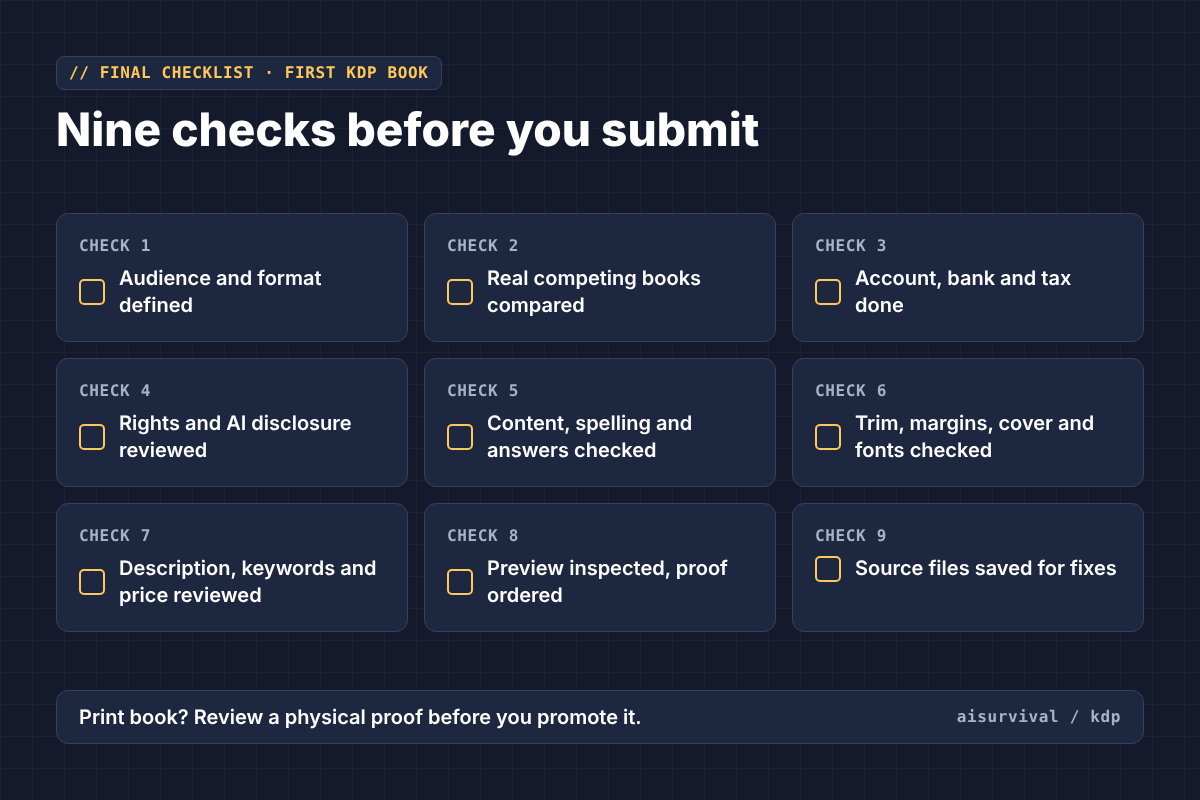
- ☐ Defined the audience and book format
- ☐ Compared real competing books and checked reader needs
- ☐ Completed KDP account, bank and tax information
- ☐ Reviewed rights and AI disclosure requirements
- ☐ Verified content, spelling, puzzles and answer keys
- ☐ Checked trim size, margins, cover and fonts
- ☐ Reviewed metadata and pricing
- ☐ Inspected the preview and ordered a proof when appropriate
- ☐ Saved source files for future corrections
What should you do next?
Your first milestone is not ‘publish 20 books.’ It is to finish one product for one clear audience, verify every file, and learn what readers actually need. AI can reduce the friction of getting started, but editing and product judgment still matter.
Next in this series: How to Create Your Amazon KDP Account: Step by Step, followed by How to Set Up Amazon KDP Payments and Tax Information. A separate AI tools guide will help you decide what is worth paying for.
Official resources and further reading
Research note: This original beginner’s guide was informed by reviewing Amazon’s official documentation and KDP Builder’s articles about publishing workflow, print-file preparation and quality checks. It is not affiliated with or sponsored by either company.