
What is the best way to make a customer survey with AI?
The best way is to draft the questions in an AI chat, build the form in a survey tool, then check it yourself. For a free start, pair an AI chat with Google Forms, or use SurveyMonkey’s free “Build with AI” for short surveys of up to 10 questions. If you already pay for Microsoft Copilot, use Copilot in Microsoft Forms. Choose Typeform when the look of the form matters most.
Series: AI tools compared, part 4 of 30. Plan details below were checked on the official pages on November 4, 2026. Previous: AI product description generators, 6 tools compared.
On this page
- Why the questions matter more than the tool
- The 5 tools compared
- Which AI survey tools are free?
- A workflow that works in any tool
- Copy-and-paste prompts
- Checklist before you send
- Limits
- FAQ
Why do the questions matter more than the survey tool?
Every AI survey tool can write questions, but none of them knows what decision you need to make. A survey with clear goals and neutral questions gives useful answers in any tool. A survey with leading or double questions gives misleading answers, however polished the form looks. So start with one sentence: what will you decide after the results come in?
We covered how to write the questions in how to write effective customer surveys using AI. This guide is about where to build them.
The 5 AI survey tools compared
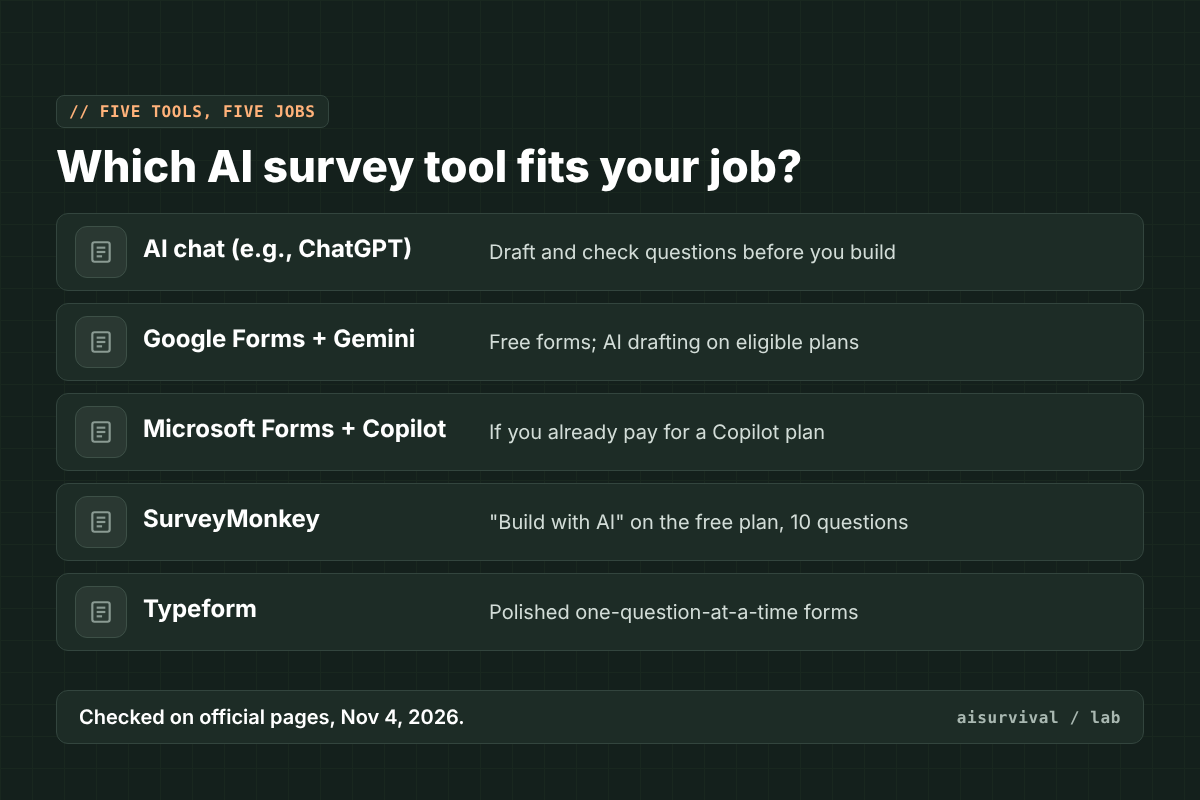
| Tool | Best for | AI feature | Who gets the AI feature |
|---|---|---|---|
| AI chat (ChatGPT, Claude, Gemini) | Drafting and checking questions | Writes and reviews questions as text | Free tiers exist |
| Google Forms | Free, simple forms | “Help me create a form” with Gemini | Eligible Google Workspace or Google AI plans |
| Microsoft Forms | Teams already on Microsoft 365 | Copilot drafts and reviews forms | Paid Copilot plans |
| SurveyMonkey | Short surveys with AI built in | “Build with AI” | Included on the free Basic plan |
| Typeform | Polished, one-question-at-a-time forms | “AI-powered form creation” | Listed on paid plans |
1. An AI chat
ChatGPT, Claude, or Gemini can draft survey questions from a short brief and then check them for bias. It does not build the form or collect answers, so you copy the questions into a form tool. It is the most flexible place to start, and the best place to audit questions in a fresh chat.
2. Google Forms with Gemini
Google Forms is free, and its “Help me create a form” button can draft a whole form from a prompt. Google’s help page says this needs “an eligible Google Workspace or Google AI plan.” It also lists limits: it cannot edit an existing form, using it on one replaces that form, and it does not support forms with multiple sections (Google Docs Editors Help). Without an eligible plan, draft in an AI chat and paste the questions in.
3. Microsoft Forms with Copilot
Microsoft Forms itself is free with a Microsoft account. Copilot in Forms can draft questions from a plain description, suggest improvements, and add simple branching, but it needs a paid Copilot plan. Office Watch notes that complex branching is not supported yet, so check the logic yourself before sending (Office Watch).
4. SurveyMonkey
SurveyMonkey’s pricing page lists “Build with AI” on the free Basic plan, which allows 10 questions per survey. Basic also limits how many responses you can view, and “Analyze with AI” is on paid plans only. The cheapest paid plan listed for individuals is Advantage Annual at $39 a month, billed yearly (SurveyMonkey pricing).
5. Typeform
Typeform shows one question at a time, which many people find friendlier on phones. Its pricing page lists “AI-powered form creation” on the Basic plan and up, and links to a free plan without listing its limits when we checked (Typeform pricing). The page also showed two different Basic prices in different places, so confirm the price at checkout.
Which AI survey tools are free?
Of these five, SurveyMonkey is the clearest free option with AI built in: “Build with AI” is on its free Basic plan, limited to 10 questions per survey. Google Forms and Microsoft Forms are free to use, but their AI drafting features need eligible or paid plans. A free AI chat plus a free form tool is the cheapest way to get both AI drafting and unlimited questions.
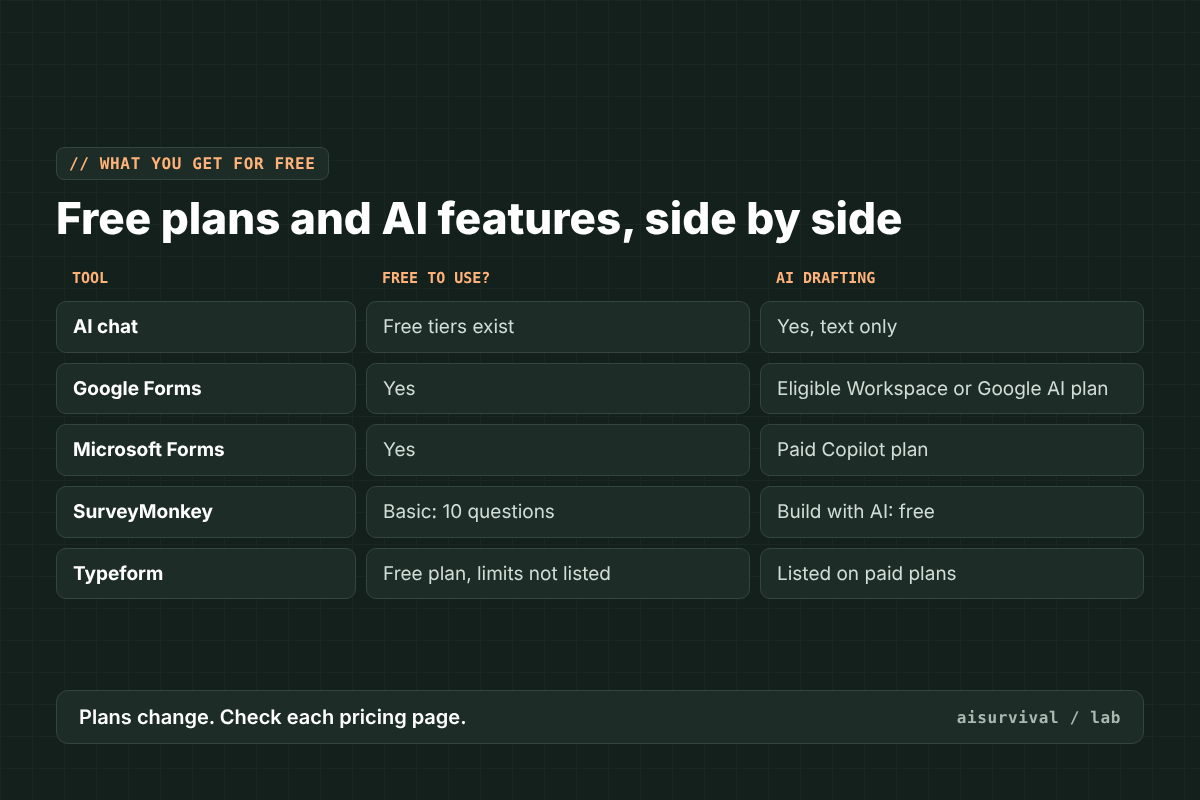
- No budget: AI chat for drafting + Google Forms or Microsoft Forms for building.
- Short survey, AI in one place: SurveyMonkey’s free plan.
- Already pay for Google AI or Copilot: use the AI inside the form tool you have.
- Brand look matters: Typeform, after checking current prices.
How do you make a survey with AI, step by step?
To make a survey with AI, work in three steps. First, draft the questions in an AI chat, giving it your decision, audience, and length limit. Second, build the form in your survey tool and set the answer types and any branching. Third, open a new chat and ask the AI to flag leading, double, or vague questions. Then test the survey on two or three real people.
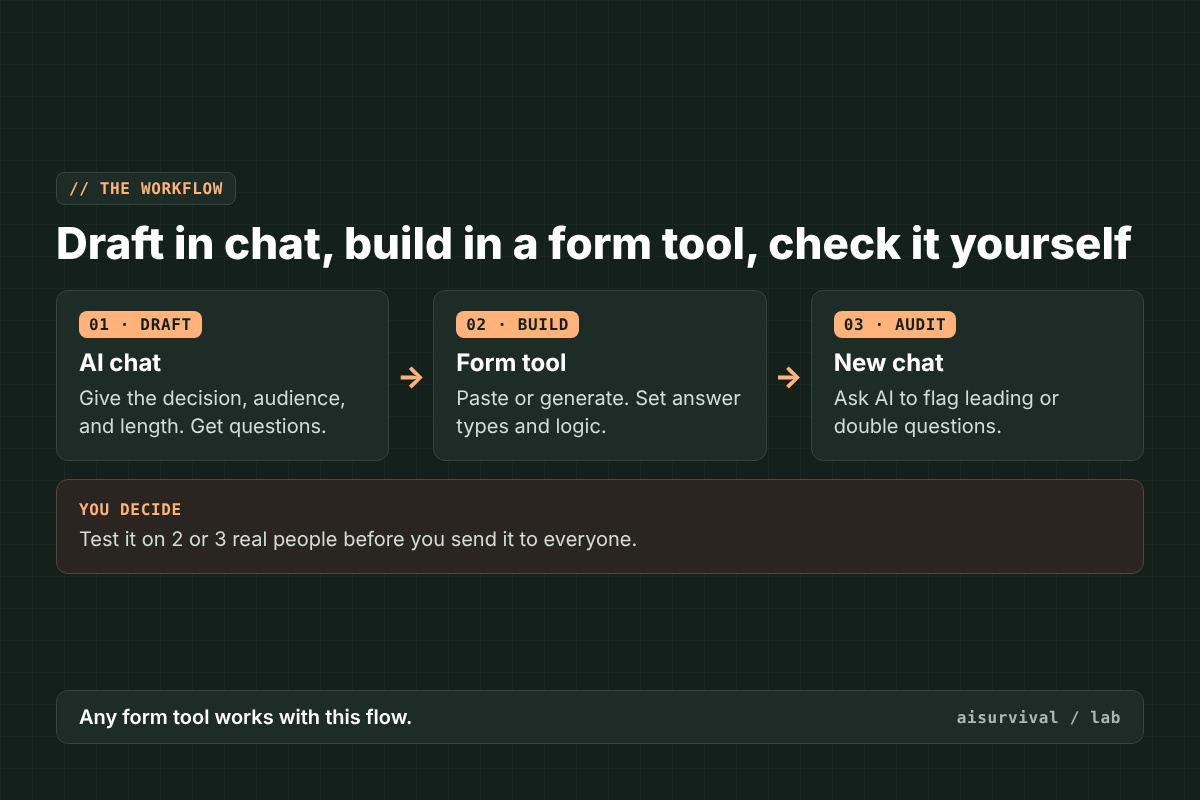
Why a new chat for the audit? The chat that wrote the questions tends to defend them. A fresh chat reads them like a stranger would.
Copy-and-paste prompts
How to use these:
- Copy Prompt 1 into any AI chat.
- Replace anything in [brackets] with your own details.
- Paste the questions into your form tool, or into the tool’s own AI prompt box.
- Open a new chat and run Prompt 2 on the finished questions.
- Fix what it flags, then test on a few real people.
Tip: Prompt 1 also works as the description you type into Google Forms, Microsoft Forms, or SurveyMonkey’s AI builder.
Prompt 1: Draft the survey
Draft a customer survey.

Decision I will make from the results: [one sentence]
Who will answer: [customers, past buyers, newsletter readers]
Maximum length: [number] questions, under [number] minutes
Form tool: [Google Forms / Microsoft Forms / SurveyMonkey / Typeform]

Rules:
- One idea per question.
- No leading or loaded words.
- Put broad questions before specific ones.
- Use balanced answer options and include "Not sure" where it fits.
- Screen first if a question only applies to some people.
For each question, give the answer type (multiple choice, rating, short text) and one line on which part of the decision it informs.
Prompt 2: Audit the survey (new chat)
You are reviewing a customer survey written by someone else. Be strict.

[paste the questions and answer options]

For each question, flag any of these problems: leading, loaded, double-barreled, agree/disagree format, vague time frame, unbalanced options, or a question that does not fit the decision below.
Decision: [one sentence]
Show a table: question number, problem, suggested rewrite. Then list any question that could be cut.
Example (fictional)
Everything here is made up for illustration. The lunch box shop wants to know whether past buyers would pay for a refill lid pack. It drafts eight questions with Prompt 1 in a free AI chat and builds them in Google Forms. In a new chat, Prompt 2 flags “How much would you love a lid refill pack?” as leading. The shop rewrites it as “How likely are you to buy a lid refill pack in the next three months?” and tests the form on three customers before sending it.
What should you check before sending an AI-made survey?
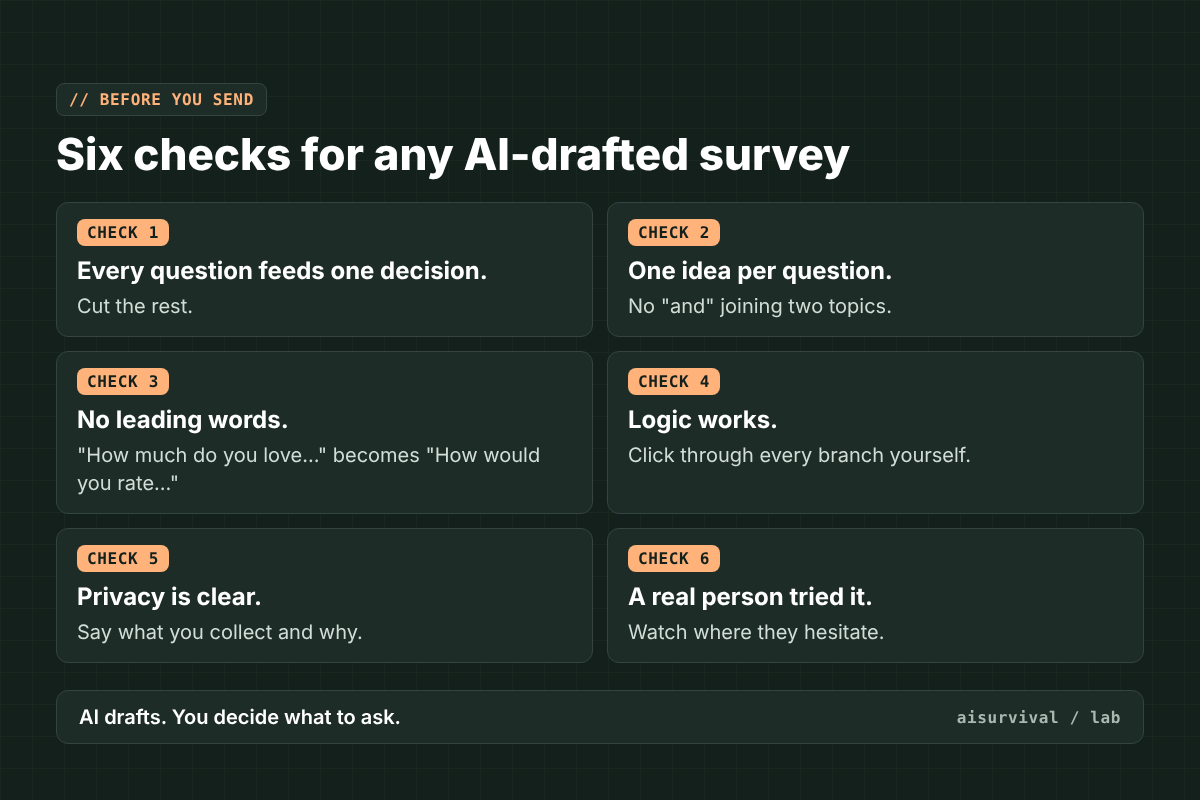
Before sending a survey made with AI, check six things: every question feeds your decision, each question asks one thing, no question leads the answer, branching logic works on every path, respondents know what data you collect and why, and at least one real person has tried it. AI tools can draft fast, but they cannot know your decision or your customers.
Limits
- This is a comparison from official pages and help articles, not a hands-on test of every tool.
- Plans, prices, and AI features change often. We checked them on November 4, 2026. Check each pricing page before you pay.
- Typeform’s pricing page did not list free-plan limits and showed two different Basic prices when we checked.
- Do not paste customer personal data into an AI chat. Draft questions only.
- Product names belong to their owners and are shown only to identify each tool. This post isn’t sponsored, and no company here reviewed or endorsed it.
FAQ
Can ChatGPT make a survey?
ChatGPT can write and review survey questions, but it does not host the form or collect answers. Copy its questions into a form tool such as Google Forms, Microsoft Forms, SurveyMonkey, or Typeform.
Does Google Forms have AI?
Yes. Google Forms has “Help me create a form” with Gemini, which drafts a form from a prompt. Google says it needs an eligible Google Workspace or Google AI plan.
Is SurveyMonkey’s AI free?
SurveyMonkey lists “Build with AI” on its free Basic plan, which allows 10 questions per survey. Its “Analyze with AI” feature is listed on paid plans.
How many questions should a customer survey have?
As few as your decision needs. If a question does not change what you will do, cut it. Shorter surveys are easier to finish, especially on phones.
Series: AI tools compared, part 4 of 30. Previous: AI product description generators, 6 tools compared.
Next in this series: how to analyze customer reviews with AI, six tools from free to paid. Subscribe if you’d like it in your inbox.
Your turn: Which survey tool do you use now, and what do you wish it did better? Tell us in the comments.